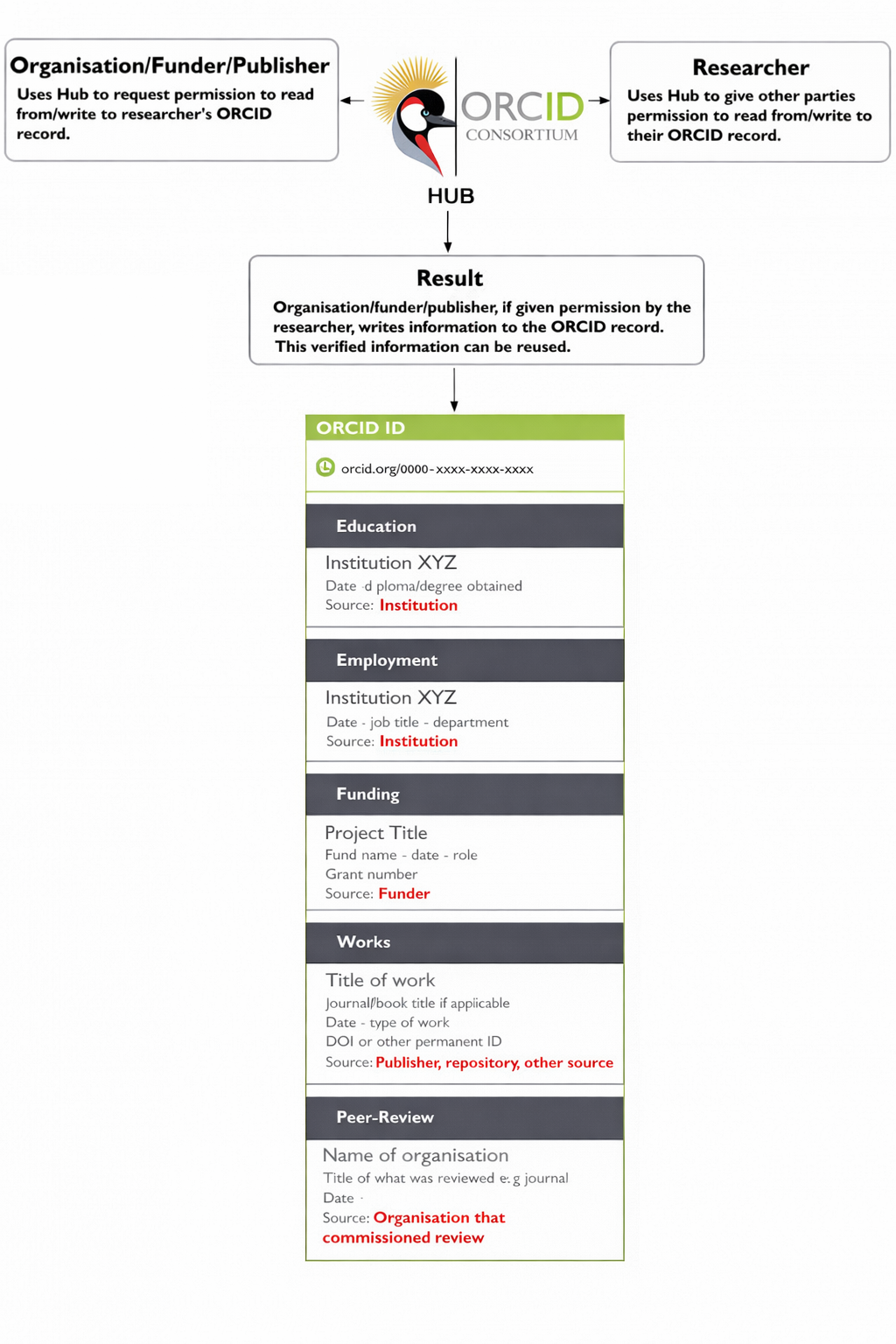
This section of the Uganda ORCIDHUB user guide demonstrates how a staff, student or researcher can connect their ORCID record to Uganda ORCIDHUB and thus allowing your university to read and write information to your ORCID record.
To complete this process there are some actions required of you:
- Login to Uganda ORCIDHUB with your university credentials.
- Once logged in, you will need to link your ORCID record to Uganda ORCIDHUB.
You can follow the links on the left hand side of the page to start the process.
Additionally if you dont have an ORCID record, you will need to create one by following this guide: https://support.orcid.org/hc/en-us/articles/360006897454-Register-your-ORCID-iD. This should be done before following steps 1 and 2 above. If you have an ORCID record already, you can skip this step.
The image below demonstrates how Uganda ORCIDHUB, your university and the permissions you allow all work together to allow information to be read and written to your ORCID record.